2026 guide

The best Cronometer alternatives

Cronometer is excellent for deep nutrition data — but it's not for everyone. If manual entry or the desktop-first feel made you look elsewhere, here are the best alternatives in 2026, compared honestly.

Download on the App StoreGet it on Google Play

Updated June 2026; apps' features and pricing may change.

Cronometer's strength is depth: 80+ nutrients and a verified database. Its trade-off is effort — lots of manual logging. The alternatives below trade some breadth for speed, simplicity or coaching. We've put Micron first (it's our app) but kept every description honest, including where the others win.

1

Micron

Best for mobile micronutrient tracking

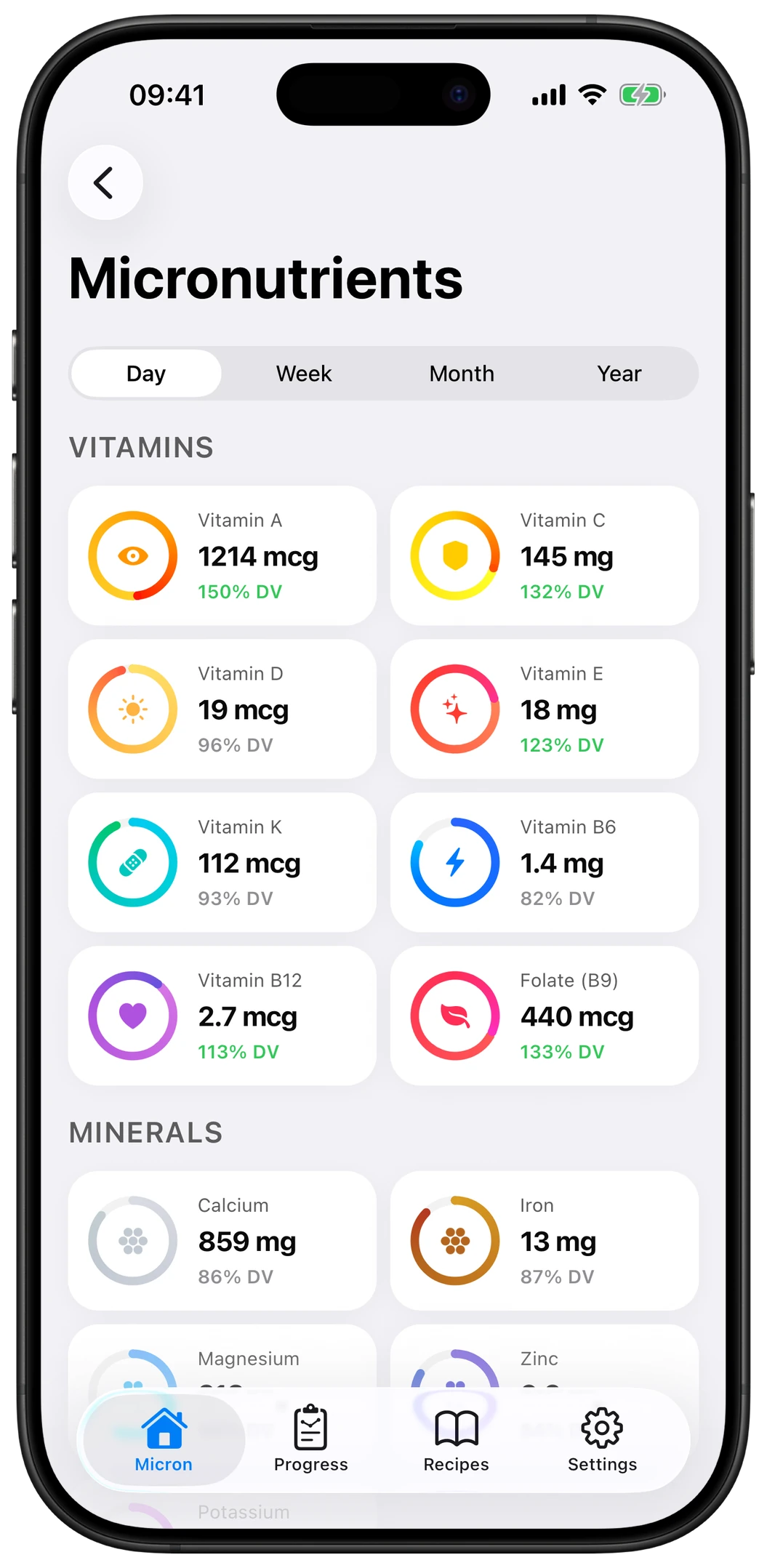
Micron tracks 17 essential nutrients (vitamins, minerals, omega-3 and more) with AI photo + barcode logging, so a meal takes seconds instead of minutes. You get personalized targets and deficiency detection, ad-free, on iOS and Android. It tracks fewer nutrients than Cronometer by design — the essentials, logged consistently. Best if manual entry is what made you quit Cronometer. Free to start.

Download on the App StoreGet it on Google Play
2

Cronometer

Best for maximum data depth

The benchmark for serious nutrition tracking: 80+ nutrients including amino acids, a verified food database, biomarker logging and a powerful web app. The trade-off is a steeper learning curve and more manual entry. Free tier + Gold subscription. If you want exhaustive data and don't mind the work, it's hard to beat.

3

MyFitnessPal

Best for the largest food database

The most popular calorie counter, with a huge (crowd-sourced) food database and a big community. Great for calories and macros and fast barcode logging — but micronutrient data is limited and largely behind the paywall, and the free tier shows ads. Best if your priority is calorie counting, not micronutrients.

4

MacroFactor

Best for adaptive macro coaching

A subscription app whose algorithm adjusts your calorie and macro targets based on your real data, with fast logging and a clean interface. It focuses on energy and macros rather than the full micronutrient picture. Best if your goal is body composition with smart, hands-off target adjustments.

5

Lifesum

Best for diet plans & polished UX

A friendly, design-led app with guided diet plans (keto, high-protein…), recipes and habit tracking. Lighter on micronutrient detail, with full features behind premium. Best if you want structure and a pleasant experience more than deep nutrient data.

Frequently asked questions

What's the best Cronometer alternative?

For fast, mobile-first micronutrient tracking, Micron is the best alternative — AI logging, the essential nutrients and deficiency detection. If you want maximum nutrient depth, Cronometer itself remains the benchmark; for calorie counting with the biggest database, MyFitnessPal.

Is there a free Cronometer alternative?

Yes. Micron and MyFitnessPal are both free to start (with optional premium plans). Cronometer also has a free tier. MacroFactor is subscription-only.

What's the best Cronometer alternative for mobile?

Micron is built mobile-first with AI photo and barcode logging, which makes daily tracking far faster on a phone than Cronometer's more desktop-oriented, manual workflow.

Cronometer vs MyFitnessPal — which is better?

Cronometer wins on micronutrient depth and data accuracy; MyFitnessPal wins on food-database size and community. If micronutrients matter to you but Cronometer feels heavy, Micron is a lighter middle ground.

Track your micronutrients without the manual entry

Micron logs meals by AI photo or barcode and tracks the 17 nutrients that matter. Free to start on iOS & Android.

Download on the App StoreGet it on Google Play