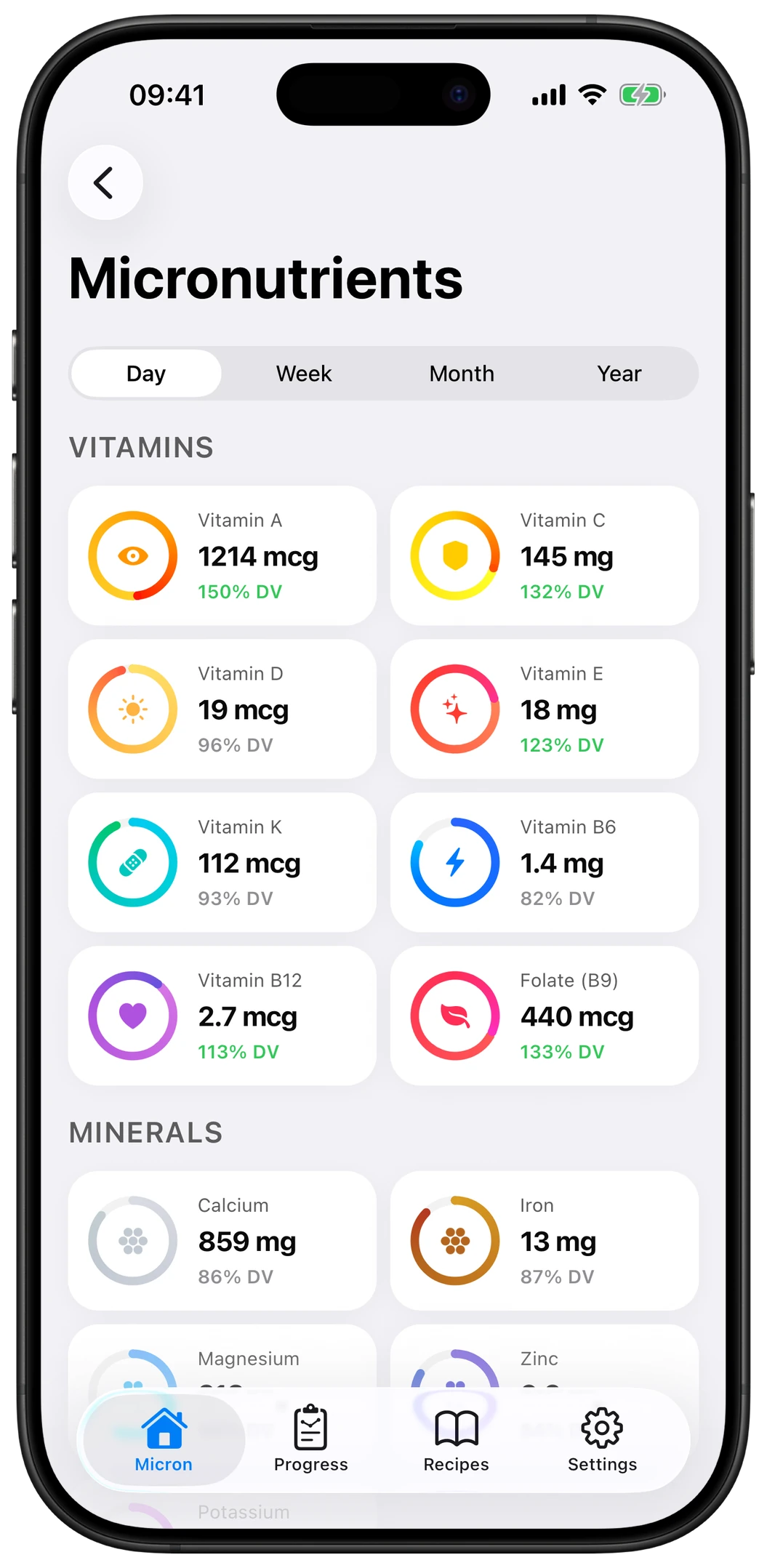
Micron vs Cronometer
Two ways to track your micronutrients. Cronometer bets on data depth; Micron on AI logging and simplicity. Here's an honest comparison to help you choose.


Comparison updated June 2026; Cronometer's features may change.
The short answer
Choose Micron if…
- You want to log meals in seconds (photo + AI), not by hand.
- You want the essential nutrients that matter, without drowning in data.
- You live on your phone and want a simple, ad-free app.
Choose Cronometer if…
- You want to track 80+ nutrients in fine detail.
- You don't mind entering foods by hand on a computer.
- You also track biomarkers (glucose, weight, lab results).
Feature-by-feature
| Micron | Cronometer | |
|---|---|---|
| Nutrients tracked | 29 essentials (vitamins, minerals, omega-3…) | 80+ (very detailed) |
| Logging | AI photo + barcode, in seconds | Manual + barcode, very complete database |
| Platform | Mobile (iOS & Android) | Web + mobile (strong on desktop) |
| Personalized targets | Yes | Yes |
| Deficiency detection | Yes — % of target per nutrient | Yes, detailed data |
| Biomarkers / biometrics | No | Yes (weight, glucose…) |
| Learning curve | Very simple, fast | Powerful, takes learning |
| Price | Free + premium | Free + Gold |
| Best for | Effortless daily tracking | Data power-users |
What Cronometer does better
- Depth: 80+ nutrients, including amino acids — the most complete on the market.
- A vast, verified food database, ideal for precise manual entry.
- Biomarker tracking and a powerful desktop experience.
Honestly: if your goal is to track the maximum amount of nutrition data, Cronometer is excellent.
What Micron does better
- AI logging (photo + barcode): a meal in seconds, not minutes.
- The 29 nutrients that actually matter, shown simply — so you stick with it.
- Mobile-first, ad-free, privacy-friendly.
The best tracker is the one you use every day. Micron is built for that.
Micron: the best Cronometer alternative on mobile
Many people leave Cronometer because manual entry is too heavy day to day. If that's you, Micron keeps the essentials — micronutrient tracking and deficiency detection — but with AI logging that lasts. You lose some breadth (29 nutrients vs 80+), you gain consistency.
Frequently asked questions
Is Cronometer free?
Cronometer has a free version and a paid Gold subscription that unlocks advanced features. Micron is also free to start, with an optional premium.
What's the best Cronometer alternative?
It depends on your needs. For fast, frictionless mobile micronutrient tracking, Micron is the best alternative: AI logging, personalized targets and deficiency detection. For maximum data and nutrients, Cronometer is hard to beat.
Does Micron track as many nutrients as Cronometer?
No, and that's by design. Micron tracks 29 essential nutrients (14 vitamins, 10 minerals, omega-3, fiber, sugars, cholesterol, saturated fat) where Cronometer tracks 80+. The idea: cover what truly matters for health without overwhelming you — so you keep logging your meals long term.
Cronometer or Micron for beginners?
For beginners, Micron is simpler: photo/AI logging and a mobile-first interface cut the friction. Cronometer is more powerful but takes more learning and manual entry.
Can I import my Cronometer data into Micron?
Not yet. That said, you can get started on Micron in minutes: your targets are calculated from your profile, and AI logging makes onboarding fast.
Try Micron — micronutrient tracking without the chore
AI logging, 29 essential nutrients, deficiency detection. Free to start.